
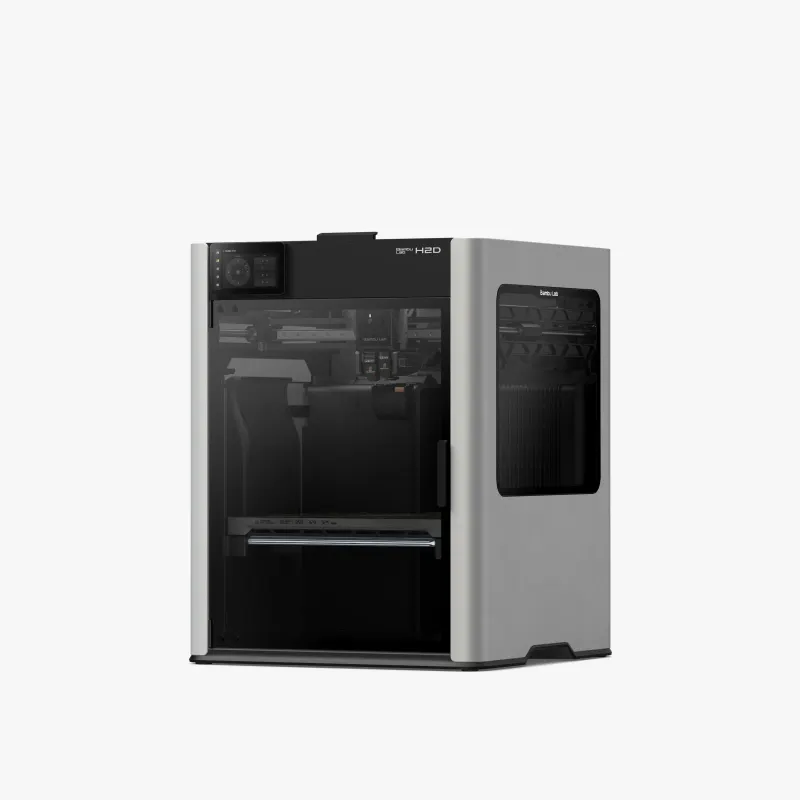
Bambu Lab H2D
Product details
- Brand:
- Bambu Lab
- Category:
- FDM 3D Tiskárny (filament)
Product description
Bambu Lab H2D
Multi-Material Printing Flexible and rigid, affordable and exotic materials in one print.
Special Support Material Perfect supports with minimal waste, purging, and priming.
Efficient Multi-color Printing Fast and efficient multi-color printing.
Digital Cutting Precise cutting of various materials
Pen Drawing Drawing and writing
Vivid Spatial Alignment What You See Is What You Get The BirdsEye H2D camera, combined with computer vision algorithms, provides top-view alignment accuracy up to 0,3 mm. This advanced spatial alignment allows users to place the toolpath in the correct spot on the material – truly "what you see is what you get."*
Automatic Arrangement Maximize material efficiency, minimize waste Using real-time images from the BirdsEye camera, Bambu Suite can automatically arrange your project according to the shape of your material, e.g., plywood scraps from a previous project. This function helps you make the most of every material.
Don't Worry About Safety – We Have You Covered
Air Purifier An optional air purifier ensures clean air even during indoor laser operations.*
Don't Worry About Setup – We Have It Covered
Fully Automatic Calibration A single tap starts automatic laser focus verification and material measurement, eliminating manual adjustments.
Material CodeSync H2D automatically scans the QR code on your material and loads the perfect presets.*
Go Big, Go Fast, Go Precise Our Secret Weapon: Vision Encoder 50µm ultra-fine movement precision* An ultra-precise visual encoder plate combined with 5µm resolution optical measurements for tracking and correcting print head movement allows H2D to achieve consistent and reliable 50μm movement accuracy independent of distance throughout the workspace, which is an order of magnitude better than its predecessor. (*Vision Encoder sold separately)
King-Size Work Zone Break free from size limitations With a build volume up to 350 mm × 320 mm × 325 mm*, creating large-scale projects has never been easier! From laser engraving on oversized objects to printing large-scale models, the expanded capacity allows you to realize even your most ambitious ideas.
350°C Hotend & 65°C Chamber Heating Unleash the full potential of high-performance materials H2D, equipped with active chamber heating to 65°C and a high-temperature hotend reaching up to 350°C, provides precise closed-loop temperature control. This advanced system effectively eliminates warping and curling in high-performance materials, ensuring excellent layer bonding and maximizing their full potential.
TRUE High-Flow Hotend Consistently print at 600 mm/s with ease The specially designed high-flow H2D hotend ensures reliable high-speed printing at 600 mm/s. Designed for consistent performance, it eliminates flow restrictions during printing, allowing for continuous high-speed printing regardless of the size or complexity of the print.
DynaSense Extruder Intelligent sensing for precise extrusion control Bambu Lab's patented PMSM servo architecture creates an intelligent extrusion control system. It performs 20 kHz torque/resistance and position sampling for dynamic modulation of electromagnetic torque vectors. It stabilizes extrusion and detects filament grinding and clogging.
Smarter and Safer Experience Nozzle Camera Monitor extrusion at the tip of the nozzle H2D is equipped with an AI-supported nozzle camera and a macro lens. This intelligent monitoring system continuously tracks extrusion patterns and instantly detects material buildup, filament deviations, and extrusion failures.
AI Pre-flight Checklist Peace of mind with every print Before every operational cycle, the H2D visual system runs a comprehensive pre-flight checklist. 1. Chamber Integrity Scanning detects debris on the entire print surface. 2. Hardware Configuration Audit Instantly recognizes nozzle dimensions and print plate properties. 3. Digital-Physical Alignment Performs automatic consistency verification between detected hardware specifications and active slicer parameters.
SOTA Filament Monitoring 15 sensors on a single filament path Unlike older systems with single filament run-out detectors, H2D is equipped with comprehensive material flow monitoring. Along the entire path from the AMS to the nozzle, 15 strategic sensors form an intelligent network that continuously monitors five key parameters: feed rate, tension, filament tip location, extruder thermal environment, and dynamic extrusion pressure. This creates a cutting-edge filament behavior management system.
Frequently Asked Questions
1. Can H2D be upgraded to the laser version?
Yes, an upgrade kit with instructions is coming, planned for June. The built-in and external air systems differ in design.
2. Are the left and right hotends the same?
Yes, they have the same design and materials and are mutually interchangeable.
3. How many AMS units does H2D support?
Up to 4 AMS 2 Pro and 8 AMS HT – a total of 12 units with 24 slots. In extreme cases, up to 25 colors.
4. Is H2D compatible with the first generation AMS?
Yes, fully compatible, but it does not support the filament drying function. It is not compatible with AMS lite.
5. What are the 4-pin ports on the back for?
For future accessories, e.g., an external pump when upgrading to the laser version.
6. Can a hotend from A1 be used on H2D or vice versa?
No, they are not fully compatible. H2D has better flow, lower risk of clogging, automatic type detection, etc. An H2D hotend can be used on an A1, but only with the silicone sock from H2D.
7. Differences between 10W and 40W laser?
•Cutting (poplar plywood): 10W up to 5 mm, 40W up to 15 mm
•Engraving speed: 10W up to 400 mm/s, 40W up to 1000 mm/s
•Processing area: 10W – 310×270×280 mm; 40W – 310×250×265 mm
8. Is there a USB in the package?
No. Without USB, printing works normally, but functions like time-lapse, log export, or LAN printing do not work.
9. Why can't I select a nozzle for pre-installed files?
During slicing, a specific nozzle (e.g., the right one) is already selected. However, when slicing your own files in Bambu Studio, you can choose the nozzle.
[embed]https://youtu.be/KRrZCW1flh0[/embed]


